Vignette Purchase Process
This page provides a detailed, step-by-step guide to purchasing road vignettes in Austria and other European countries. For pricing information, see our Pricing page. For rules and exceptions, see our Services page. Key terms are defined in our FAQ & Glossary.
Process Overview
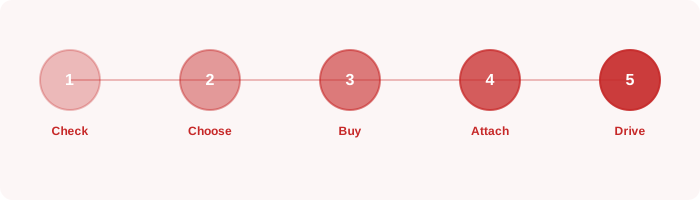
The vignette purchase process varies slightly depending on the country and purchase method, but generally follows these 8 steps:
- Determine requirement: Confirm whether a vignette is required for the roads you will use.
- Check vehicle category: Identify your vehicle's category (car, motorcycle, HGV) and weight.
- Choose vignette type: Select the validity period (10-day, 2-month, or annual) based on your trip.
- Select purchase method: Online, app, petrol station, or border crossing.
- Provide vehicle details: Enter your licence plate number, country of registration, and start date.
- Complete payment: Pay by card, PayPal, or cash (at physical locations).
- Receive confirmation: Save your purchase confirmation email or receipt.
- Verify activation: Check that your vignette is active in the ASFINAG system (for digital vignettes).
For country-specific processes, see our Service Area page.
Online Purchase — Austria (ASFINAG)
The recommended method for purchasing an Austrian digital vignette is through the official ASFINAG online shop. Here is the detailed process:
- Visit the official ASFINAG website (shop.asfinag.at).
- Select "Digital Vignette" from the product menu.
- Choose your vehicle category (car, motorcycle, etc.).
- Enter your vehicle's licence plate number, including the country code (e.g., A for Austria, D for Germany).
- Select the validity period: 10-day, 2-month, or annual.
- Choose your desired start date. You can select today or up to 18 days in the future.
- Review your order summary, including the total price and validity period.
- Enter your payment details (credit card, debit card, or PayPal).
- Confirm your purchase. You will receive a confirmation email immediately.
- Your vignette is now active (or will activate on the chosen start date). No sticker is needed.
For information on what happens after purchase, see the After Purchase Checklist below.
In-Person Purchase
If you prefer to purchase in person, the following options are available:
| Location | Types Available | Payment Methods | Hours | Notes |
|---|---|---|---|---|
| Petrol stations (Austria) | All types | Card, cash | Usually 24/7 | Most convenient option |
| Border crossings | All types | Card, cash | Varies | May have queues in peak season |
| ÖAMTC offices | All types | Card, cash | Business hours | Expert advice available |
| ARBÖ offices | All types | Card, cash | Business hours | Membership discounts may apply |
| Trafik shops | All types | Card, cash | Business hours | Widespread in Austrian cities |
| Post offices | Selected types | Card, cash | Business hours | Not all locations |
When purchasing in person, you will need to provide your vehicle's licence plate number. The seller will register the vignette digitally — no physical sticker is issued for Austrian vignettes purchased after 2023.
Applying a Physical Sticker (Switzerland, Slovenia, etc.)
Some countries (Switzerland, Slovenia, North Macedonia) still use physical vignette stickers. Here is how to apply them correctly:
- Clean the windscreen area where the sticker will be applied (inside, lower left corner is standard).
- Remove the backing from the sticker carefully.
- Apply the sticker firmly to the inside of the windscreen, ensuring no air bubbles.
- Do not remove the sticker once applied — it is designed to be tamper-evident and will be damaged if removed.
- Keep the receipt as proof of purchase in case of a spot check.
Verifying Your Vignette
For Austrian digital vignettes, you can verify that your vignette is correctly registered in the ASFINAG system:
- Visit the ASFINAG website and navigate to the vignette verification tool.
- Enter your vehicle's licence plate number and country of registration.
- The system will confirm whether a valid vignette is registered for your vehicle.
- If your vignette does not appear, contact ASFINAG customer service immediately with your purchase confirmation.
For physical vignettes, verification is done visually by enforcement officers. Ensure the sticker is clearly visible and not damaged.
Common Mistakes to Avoid
- Entering the wrong licence plate number when purchasing online — double-check before confirming.
- Purchasing a vignette for the wrong country — each country's vignette is only valid in that country.
- Setting the wrong start date — ensure the start date covers your entire trip.
- Forgetting to purchase a vignette for all countries on your route.
- Assuming a rental car has a vignette without checking — always confirm with the rental company.
- Purchasing a car vignette for a motorcycle — use the correct vehicle category for lower prices.
- Not saving the purchase confirmation email — keep it accessible during your trip.
- Applying a physical sticker to the outside of the windscreen instead of the inside.
- Attempting to transfer a vignette from one vehicle to another — vignettes are non-transferable.
- Forgetting to account for Streckenmaut on mountain routes — budget for these separately.
After Purchase Checklist
- Save your purchase confirmation email in an accessible location.
- Verify your vignette is active in the ASFINAG system (for digital vignettes).
- Note the start and end dates of your vignette.
- Check that the licence plate number on your confirmation matches your vehicle.
- If you have purchased vignettes for multiple countries, organise all confirmations.
- Research any Streckenmaut sections on your planned route and budget accordingly.
- If you have a physical sticker, ensure it is correctly applied to the windscreen.
- Note the ASFINAG customer service number: +43 50 108 10 000.
Process FAQ
Can I change the start date after purchase?
No. Once a digital vignette has been purchased, the start date cannot be changed. If you need to change the start date, you must purchase a new vignette. Contact ASFINAG customer service if you believe an error was made.
What if I enter the wrong licence plate number?
If you enter the wrong licence plate number, the vignette will be registered to the wrong vehicle. Contact ASFINAG customer service immediately with your purchase confirmation. They may be able to correct the error, but this is not guaranteed. Always double-check the plate number before confirming your purchase.
Is there a grace period after the vignette expires?
No. There is no grace period. Once your vignette expires, you must purchase a new one before using any vignette-required roads. The enforcement system checks the exact expiry date.
Can I get a refund for an unused vignette?
ASFINAG does not offer refunds for unused digital vignettes. If you purchased a vignette and your trip was cancelled, the vignette will simply expire unused. This is why it is recommended to set a future start date when purchasing in advance.